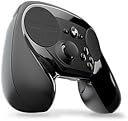
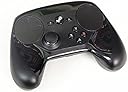

🎯 Master every game with the controller that adapts to you.
The Steam Controller by Valve revolutionizes gaming with dual trackpads, dual-stage triggers, and fully customizable controls, enabling precise gameplay across all Steam titles—even those without native controller support. Designed for ergonomic comfort and versatility, it supports wireless play on TV and offers community-driven configurations, making it a must-have for gamers and creative professionals seeking a tailored, next-level input experience.


| ASIN | B016KBVBCS |
| Batteries | 1 Lithium Polymer batteries required. (included) |
| Best Sellers Rank | #12,503 in Video Games ( See Top 100 in Video Games ) #34 in Mac Gamepads & Standard Controllers #204 in PC Gamepads & Standard Controllers |
| Customer Reviews | 4.3 4.3 out of 5 stars (4,799) |
| Date First Available | October 18, 2015 |
| Is Discontinued By Manufacturer | No |
| Item Weight | 1.2 pounds |
| Item model number | V000937-00 |
| Manufacturer | Valve |
| Product Dimensions | 8.39 x 6.3 x 2.72 inches; 1.2 Pounds |
| Rated | Kids to Adults |
| Release date | November 10, 2015 |
| Type of item | Video Game |
D**A
Perfect controller
This is the most innovative and exciting controller I have owned. The quality is excellent, the ideas are useful and well chosen, the customization software is great and the fact that it allows a practically endless number of titles previously only playable in the very specific conditions of your PC now to be approached on the couch changes and adds to the experience of those titles. Most interestingly, it is not only a perfect controller, but an excellent input device on its own, and I found myself using it to work on the Unreal Engine Editor, meaning, using it for work on certain tasks and switching them from mouse and keyboard. Lots of devices have targeted that before (for example, the Leap), and none have succeeded. That speaks a lot for this controller. It is necessary to understand what to expect from this controller in order to avoid disappointment: No, it is not a plug-and-play experience. If you are expecting to plug the controller and start playing immediately feeling and upgrade from the xbox controller, then stop, this is not the controller for you. If you are willing to spend a mild amount of time tweaking and changing some options in the customization menu, then you probably are ok. Most of the most popular games already have excellent mapping options prepared by the community and your configuration will only be choosing one and applying it. Well configured, it beats titles with native xbox controller support, and you will have fun. If you want to play games that dont have controller support or that are inimaginable with a controller (for example Civilization) then you are in for a treat and this will be one of your best purchases. Buy right now. Lastly, If you have owned before devices that were intended to be tweaked and personalized to death, and getting into those menus and spending hours making the device work just for you is part of the experience you love and seek, then you will love this controller, and you will appreciate the absurd amount of options there just for you to play with. This is not necessary to use the controller, by the way. You can stay with the community mappings if that's your thing. So, in concussion? This is my new ideal controller, not only for play, but for certain work task that I didn't imagine i would switch to a device like this. I just love it to death. I would recommend it to anyone. It is different to what you are used to, so just try it. But, stay away from it if you: a) dont want to configure anything, just want plug and play, because this is not intended to be, and b) want all your games to play the same with the device, ej, the ease and familiarity that comes with an xbox controller, where you can guess the functionality of all buttons from the go. Here, every one of your games will play different, so you have to kind of relearn to play each game. Think of it like this: It is not the same controller, but a tweaked version for each particular game. I hope this helps to make up your mind. Have fun.
D**G
Takes some time to get used to, but a really great controller once you do!
I got a Steam Link, so I thought "if the controllers was basically designed to go with the link, shouldn't I get one?" I'm glad I did! The steam controller is a great new entry into the controller market. The ability to remap anything and everything has made getting the perfect layout easier than ever. You can remap anything to anything, including the gyro and the start/back buttons. As an example, I set up "One Finger Death Punch" to use the left touchpad as the left mouse button and the right touchpad to be the right mousebutton, so all I have to do is just lightly touch each side to play rather than moving my thumb back and forth between the B and X buttons as you do with other controllers. I will say that it takes a little bit of time to get used to it, especially using the right hand touch as your camera joystick. On some games it works really well and on others it will take some tweaking of the sensitivity and settings (fiddling with deadzone, joystick vs mouse camera, etc). That said, one of the really cool things about the controller is that they've made your settings uploadable and searchable. Before you even start a game, you can find tweaked and custom layouts along with "user counts" so you can pick the one that people have found to be the best for playing that game. You can pick them and then tweak them just a little bit further, too! For an example of what you can do, I have mine set up in a few FPS games so that when I pull the left trigger (bringing up aiming), the gyro activates and I can do fine aiming by moving the controller slightly so I can get that headshot that might have been hard using a joystick to aim. The triggers are also double mode...you can set the partial pull and full pull to be separate actions. For example, in rocket league, it can accelerate as an analogue switch as you pull it, but if you pull it all the way it can activate turbo. The only thing I'd change is that the left side touch pad /Dpad is a little bit stiffer than I'd like. It's just a personal preference, though, and it may wear in a little bit and get softer. Of course, I could just change it to register touches in the quadrants as the Dpad directions, too. For the same price as many other controllers (once you buy the adaptor), this is a great device. While it does take some time to get used to, it's great once you learn your way around it.
C**S
*Esta reseña fue escrita el mismo dia de la entrega, contiene primeras impresiones y opiniones preliminares, espero actualizarla en un par de meses con los puntos finales. "El Steam controller no es para todo mundo" por mas cliché que suene esa frase tiene mucha verdad, el mando viene con un par de baterías AA y un extensor de rango bastante practico. lo primero que notas es el peso del control, sin las baterías es notablemente mas liviano que un control de xbox 360. Siendo el primer dia no tengo mucha practica con el control pero si es importante mencionar que lleva tiempo adaptarse, yo tengo muchos años usando mi viejo control de xbox 360 (ya ni la consola tengo) y cambiar al steam controller es cuestión de practica, hoy solo use mass effect 2 y dark souls dos juegos sin soporte oficial pero la comunidad de steam tiene varios perfiles que puedes seleccionar para ahorrarte la configuración (tengo pensado hacer la mía ya les contare como fue). Opinión preliminar: si su control favorito se descompuso y/o quieren probar algo distinto lo recomiendo bastante, si no tienen paciencia para entrar en configuraciones mejor no gasten su dinero. Nota adicional: no se confíen en la fecha de entrega de amazon, a mi me llego dos días antes de lo anunciado, si quieren saber la fecha exacta copien el código de seguimiento del transportista y búsquenlo en su pagina directamente ellos son mucho mas exactos (por obvias razones) *Actualización: después de dos meses de uso puedo decir que estoy muy feliz con la compra, en control es muy responsivo, y lo mejor del caso es que todos los problemas de compatibilidad que puedas tener se pueden ajustar en un par de minutos, una cosa que no te mencionan es que el control también funciona como mouse y teclado afuera de los juegos, eso es muy practico ya que los comandos en ambos casos son muy intuitivos (nota técnica: si bien el control funciona como muse básico por si solo necesita steam corriendo de fondo para el teclado y la función de rueda del mouse). En cuanto a la configuración de control les recomiendo basarse en la mas recomendada de la comunidad y ajustarla a sus necesidades (cosas que rara vez tendrán que hacer) un cambio que recomiendo es la cámara traten de elegir joistic/mouse con tanta sensibilidad como estén augusto, con un poco de practica imita bastante bien la sensibilidad del mouse en los FPS
イ**サ
This controller is not for everyone, is completely different from all the others controllers and it does things that the others come no where near. Like Pad aiming + gyro aiming for correction, playing mouse and keyboard games, using windows and browing netflix etc without touching the keyboard or mouse.
F**S
ho preso questo pad dopo essermi informato parecchio visto che e si un Pad ma molto diverso dai soliti pad come ad esempio ps4\one\ps3 ecc ecc tanto per cominciare ha 2 tasti Trigger in più sul retro che premerete con il dito medio o l'indice,quindi in totale ci sono 6 tasti completamente configurabili+ i soliti 4 pulsanti YXBA, contro i 4 tasti trigger e 4 pulsanti degli altri pad, poi come potete vedere anche dalle foto che ho postato manca lo stick analogico di destra,che è stato sostituito con il d-track,in poche parole funziona come il mouse dei pc portatili o come il tasto centrale del pad della PS4, all'inizio sembrerà strano visto che molti di noi siamo cresciuti con i classici pad della sony\ms, ma una volta presa la mano sarà talmente comodo che non vorrete più tornare indietro al classico pad,,in oltre il pad funziona su tutti i giochi esistenti anche i vecchi classici come baldur's gate,dragon age origins ecc, è configurabile come volete tramite steam che passa in configurazione big picture come potete vedere dalle immagini da me postate sul mio pc, in poche parole per me è Consigliatissimo logicamente pagandolo 59 euro o ancora meno in saldo io l'ho pagato su Steam a 32 euro visto che è in offerta fino a metà maggio se non mi sbaglio, e comunque costa 59 euro a prezzo pieno sia su Steam che al GameStop,quindi non capisco il perchè dei 150 euro richiesti per lo steam controller..
É**E
I have been looking forward to trying the steam controller since the day I first heard about it, and I was not disappointed. Although it does require a bit of practice to get used to it, with time it becomes a great controller, much more versatile and precise than a regular one. I first tried it with DOOM, which was pretty harsh, especially since I was used to keyboard/mouse input method, but I then tried it with Styx, Master of Shadows and it worked much better there. The additional buttons, double trackpads and customization proved very helpful throughout the game. It also sits fairly well in the hand, but the plastic feels somewhat cheap and the edges a little bit sharp, but it's not even close to being uncomfortable. I higly recommend getting one (especially when it's on sale) and getting used to it, as it works great it the right games (from what I've tried heard and read, adventure and racing games are the two best genres for the controller).
V**N
Todo esta muy bien, calidad de mando, jugabilidad etc , la unica duda, que a parte de steam no esta conectable con algunos juegos de otras plataformas, como origin etc , pero el producto esta genial para todos tipos de juegos!
Trustpilot
1 month ago
2 weeks ago