Buy anything from 5,000+ international stores. One checkout price. No surprise fees. Join 2M+ shoppers on Desertcart.
Desertcart purchases this item on your behalf and handles shipping, customs, and support to Cote D' Ivoire.
๐ก๏ธ Brew, Grow, Thrive โ Temperature Control That Works as Hard as You Do!
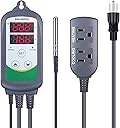
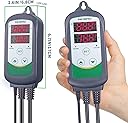
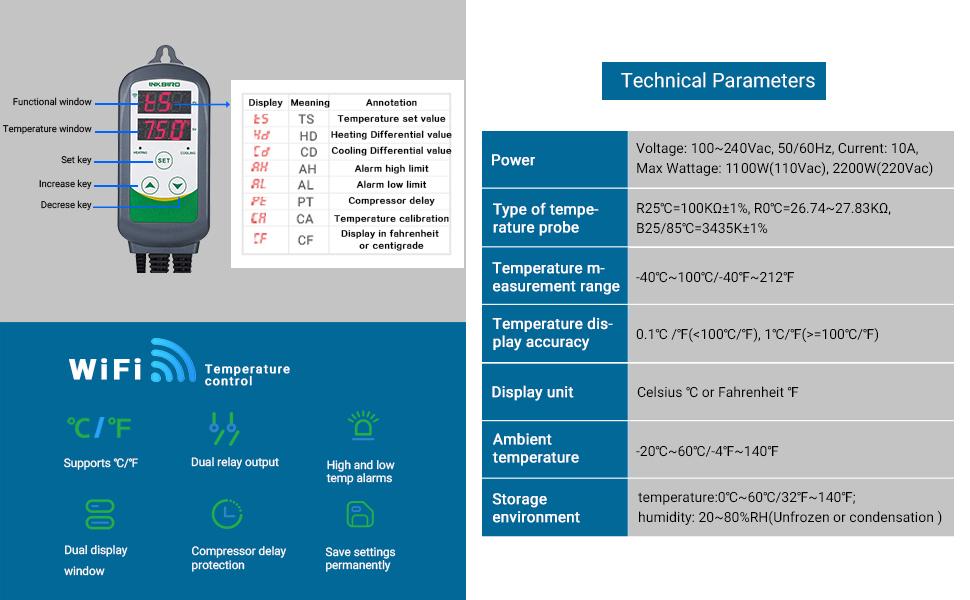
The Inkbird WiFi ITC-308 is a professional-grade digital temperature controller designed for home brewing, fermentation, greenhouse, and incubation use. Featuring dual relay outputs supporting up to 1100W, it allows simultaneous heating and cooling control. With WiFi connectivity via a dedicated app for iOS and Android, users can remotely monitor and adjust temperatures in real-time. The device includes high/low temperature alarms, temperature calibration, and compressor delay protection to ensure precise and safe environment management. Its plug-and-play design and dual display make it user-friendly for millennial professionals seeking smart, reliable climate control solutions.


| Asin | B07PVBG8K1 |
| Brand Name | Inkbird |
| Color | Green and White |
| Customer Reviews | 4.4 4.4 out of 5 stars (3,887) 4.4 out of 5 stars |
| Global Trade Identification Number | 00705701511540, 00705701572695 |
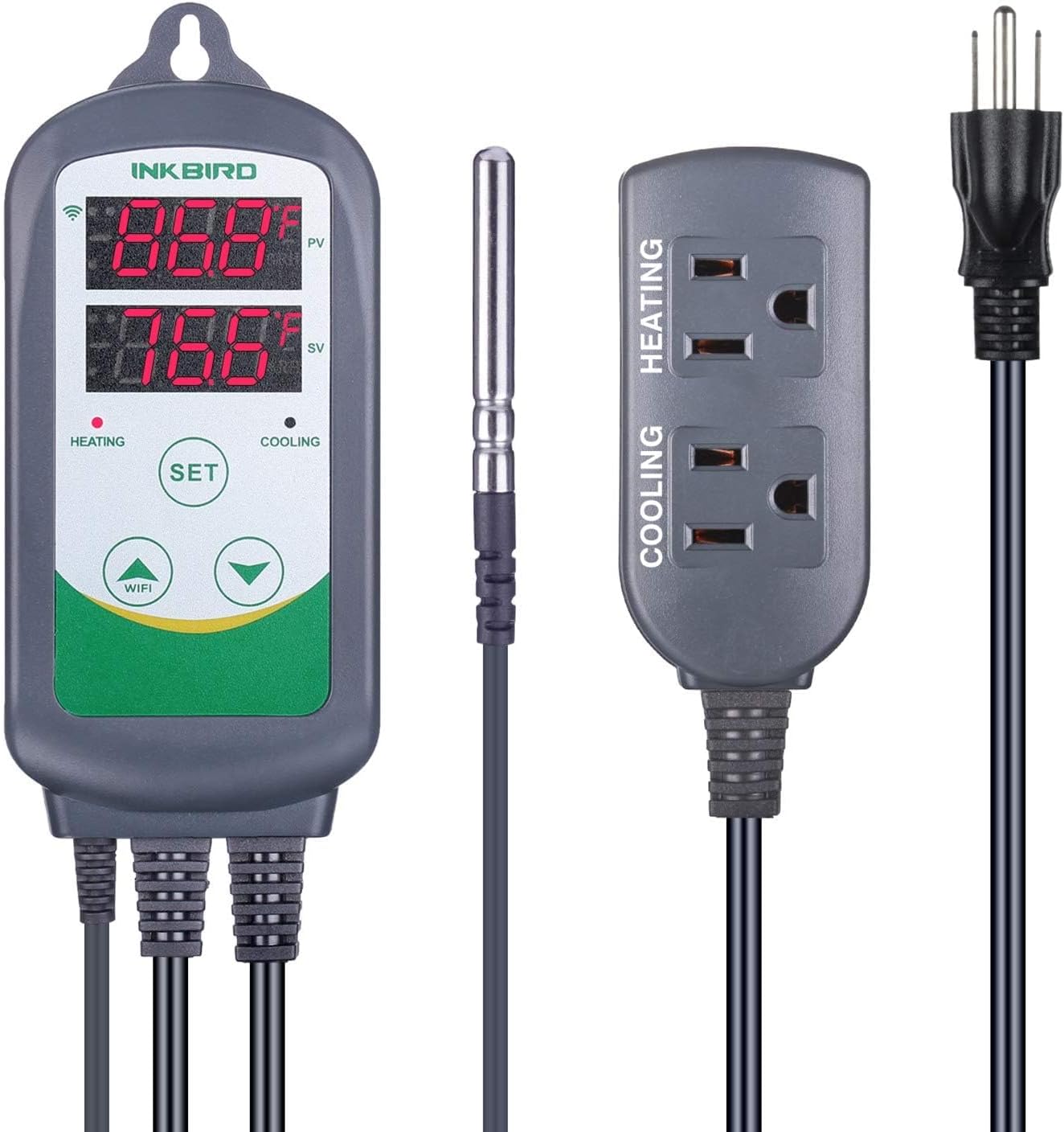
| Included Components | All-in-one thermostat, including control panel, socket, probe and power cord |
| Item Dimensions L X W X H | 6.6L x 3W x 17H centimeters |
| Item Weight | 454 g |
| Manufacturer | Inkbird |
| Material Type | Plastic |
| Model | ITC-308 |
| Part Number | ITC-308 |
| Upc | 705701511540 705701572695 |
| Voltage | 110 Volts |
User
great product, works well, could use a few features
great product. it works just as advertised. a lot of adjustments can be made, and the smartphone app can make all of them remotely, its super convenient. only a few minor things that i believe could be made better.1. while the device WILL connect to google home and register as a device, google home has litterally no control over it, or ability to tell what the temperature is. since you can just use the inkbird app (or tuya app) this is really a nonissue. just a suggestion really.2. the increments of time are quite broad. its not possible to have it log the temperature every minute in history, i believe it only logs every 15 minutes. IT DOES REPORT LIVE AND CONSTANTLY, UPDATING IN MERE SECONDS VIA LIVE VIEW IN THE APP, it is constantly updating and providing a realtime temperature in the app however it only logs the temperature and stores it once every 15 minutes. if it could be changed to log temperature every minute as an option that would be useful. again just a suggestion. its not really that helpful for anything, i just like to see everything going on.3. upon changing any settings on the temperature controller it automaticly assumes that it needs to start either A cooling or B heating if the temperature isnt exactly what the set temperature is at. also sort of a non issue since once it reaches the temperature it reverts to normal operation, meaning the temperature differential, or the setting that adjusts how far from the set temperature it can change before enabling or disabling the cooling or heating system, once temperature is reached after setting a setting in the app or on the controller, works perfectly fine. however if you just want to adjust it so it 1 degree higher in the cooling differential, if you adjust it so it has a 5 degree cooling deviation instead of four, if the temperature is, lets say 78 instead of 75, although its only a 3 degree difference, since you just set the setting it automatically assumes that the temperature needs to be adjusted until it is at the correct temperature before starting operation normally. (just being clear) this is a setting i would want to have an adjustment on. like "restart device upon changing settings? yes or no" then if no is selected, when temperatures are changed if its still within range itll turn off.an example of how this would be useful is if you wanted to adjust the cooling differential higher so the cooling switch turns off, it will ironically turn it on upon making the change, which will immediately have the opposite effect as intended, until it reaches the set temperature, then will use the input settings and resume normal operation. this is the only issue i could see potentially being problematic if you have this placed somewhere with frequent power fluctuations, because when the device restarts it also does just this. checks the temperature and then goes "is it the exact set temperature? no because its off by .1? turn on the heating or cooling." again, just a small pet peeve, not a major issue, but this could be problematic as a UPS battery backup would likely not be able to power any real kind of cooling device and a high power relay of some sort would have to be used to allow power for any high consumption devices to be drawn from elsewhere and the temperature controller to be the only thing drawing power from the ups. that way when the power returns on the temperature sensor never turned off and does not restart.overall i woudl give 4.5 stars if i could because realisticly this is the only product on the market with these features in general, the features being wifi connectivity and the ability to just plug whatever you want into the controller and control both heating and cooling from the same device, as to save power.just my two cents :)
User
Its user-friendly interface, combined with WiFi connectivity, allows to easily adjust settings!
The Inkbird WiFi ITC-308 Digital Temperature Controller Thermostat offers an impressive solution for remote temperature monitoring and control, making it an essential tool for various applications, including home brewing, aquariums, and greenhouse management. Its user-friendly interface, combined with WiFi connectivity, allows users to easily adjust settings and monitor temperature fluctuations from their smartphones, ensuring optimal conditions for their specific needs. The device features dual relay outputs, enabling it to control both heating and cooling systems, which enhances its versatility. Additionally, the robust build quality and precise temperature regulation contribute to its reliability, making it a valuable investment for anyone seeking to maintain consistent environmental conditions. Overall, the Inkbird ITC-308 stands out for its functionality and ease of use, catering to both novice and experienced users alike.
User
Es de muy buena calidad
Muy buen precio y buena calidad ๐
User
Great unit and great app. Using it to control the heater on a backyard hot tub.
Someone gave me an old hot tub with a crufty thermostat that wasn't controlling the heater reliably. I substituted this inkbird unit for the built-in thermostat and I can monitor and control the temperature, view a very nice graph of temperature over time, and receive notifications if the heater stops working. The wifi is reliable despite a pretty far distance from my wifi router. The temperature control is rock solid. The only downside is that it's difficult to read the display on the unit in direct sunlight. However, the iPhone app and controls are so good that I haven't had a reason to look at the built-in display for my use case. For safety, I configured the wiring of the hot tub so there is a NEMA socket for the inkbird unit that takes power, ground, and neutral, from the hot tub after the built-in GFI breaker, and directly wired the heating unit to a NEMA plug that plugs directly into the Inkbird unit. This way, if the Inkbird unit should develop any kind of short, the GFI breaker will shut down the entire system. Originally I thought to cut the plug and sockets off the Inkbird unit and directly wire it into the hot tub control circuitry, but the chosen method has the advantage of not damaging the Inkbird unit, retaining the warranty, and making it really clear what's going on if anyone else should look inside.I also got one of their 4 channel BBQ temperature sensors and it has significantly improved my outdoor grilling success. The single iPhone app works elegantly with both devices at the same time. I do recommend the WIFI version of the BBQ sensor though, because the Bluetooth-only version has a very restricted range.
User
Temp accurate. Less than stellar instructions. Much less. (UPDATE)
The below is an edit of my original after a couple of days of use and a lot of research online. I would revise my original stars to 4.5 if it were possible, but you can only do whole stars. The only thing keeping it from a 5 is the need to spend a lot of time digging around to make things work. Simple things that should be either in the instructions or on the InkBird website.The Good:Temperature reading from the probe is spot on and the unit will both heat and cool, which is an improvement over my old unit. Once you account for the idiosyncrasies of the unit, it does what it says it will do and holds the temperature nicely and within the range you set.The Bad:This unit only uses 2.4GHz. This is not hidden in the sales description. The instructions tell you to rename your 2.4 network to end in -2.4. However some, like me, use a mesh system and cannot rename the network to end in -2.4 to get the WiFi to work without ruining the network for 5GHz devices. The instructions also tell you to download the InkBird app which will not take this into account and if you don't have either a dedicated 2.4GHz band or router, the app will not allow you to connect. Even if you can get your iPhone to connect to WiFi from the InkBird (SmartLife-xxxx) the app will not recognize the connection and will not allow you access to the device.The solution is to get the InkBird Pro app which is also free. Why they don't mention it on the website or instructions is beyond me. Using the Pro app, you can easily connect the app to a mesh providing both 2.4 and 5 GHz and then intuitively add the temperature controller to the app. Super easy, no fuss, no muss. If that information was provided up front then I would have saved myself a lot of headache and an hour or so of my time.The Ugly:Also, not mentioned in the instructions or on the website is a little quirk in how the system views temperature changes and how it reacts to it. Upon first using the controller I noticed if the temperature varied by ยฑ0.1 degree the controller would turn on the heating or cooling. Seeing this I would try and reset the differential temp and the unit would do the same thing leading me to believe that no matter what I set the controller would kick off the heating or cooling at ยฑ0.1 degrees.What they don't tell you is that anytime you set the set value, the heating differential, or cooling differential then the next time the temperature strays 0.1 degrees the unit will turn on either the heating or cooling, depending on the direction of the variance. Once the temperature has returned to the set value, the next time the unit will only activate once it hits either your heating or cooling differential. I have not tested it, but it would not surprise me if setting the alarm temps caused the same reaction. I have no idea why they programmed it this way. It is very confusing to see this occur and there is no documentation anywhere in their literature that this is an expected operating procedure.As an aside, if setting any value causes the next time the temperature strays by more than 0.1 the unit to activate then it is obvious the unit can recognize a 0.1 swing and turn something on. Why, then, can you only set heating or cooling differential in 1 degree increments? It would be nice to have the option to set in 0.1 degree increments as obviously the unit can handle it.While it is totally beyond me why they would set it up the program this way and then not mention it or why they don't say to use the Pro app is why I can't give it 5 stars. The controller works. And it works well. But you must get the InkBird Pro app for it to do so. And you must remember that if you change any value on the unit, the next time it goes ยฑ0.1 from the set value it will turn on what ever is plugged into the unit. Other than that, I can recommend the controller.
Trustpilot
3 weeks ago
3 weeks ago